🎉 Up to 70% Off Selected ItemsShop Sale

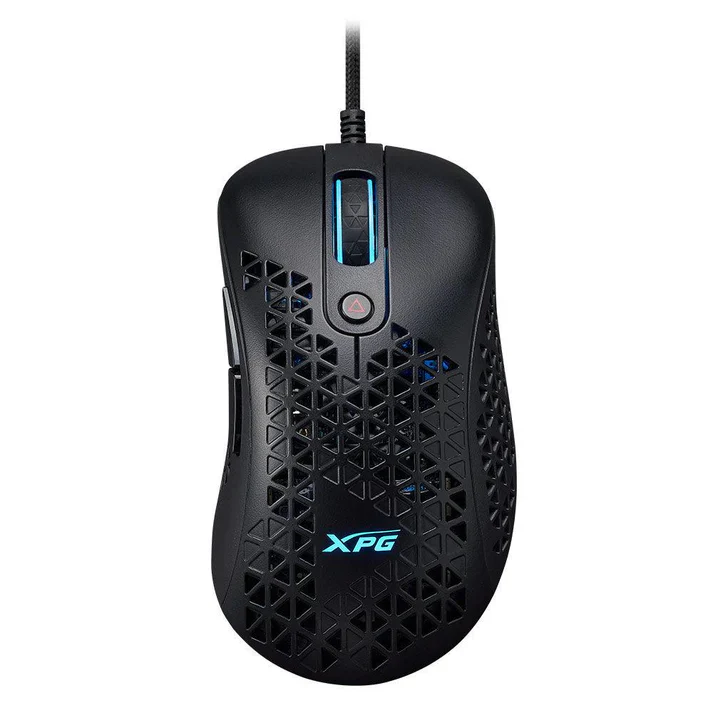
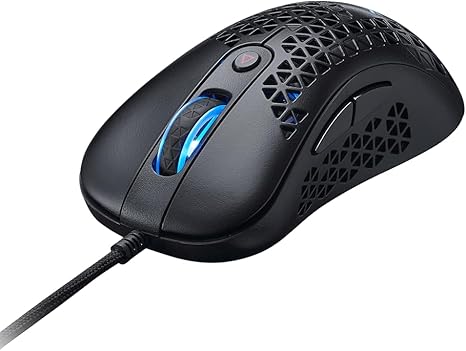
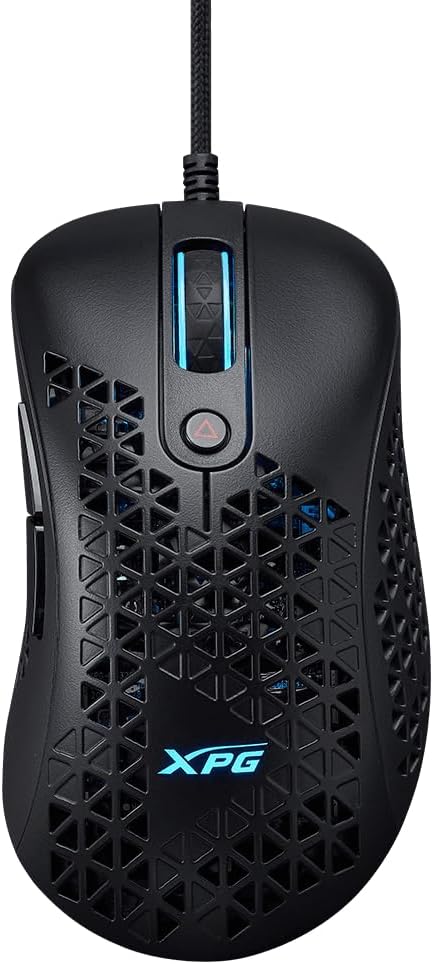
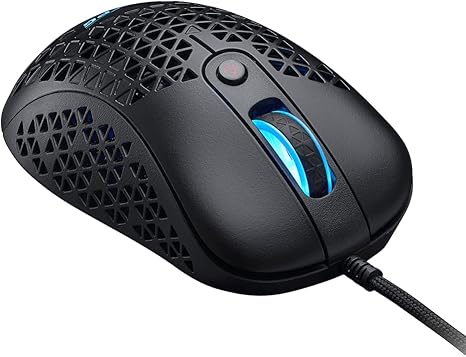
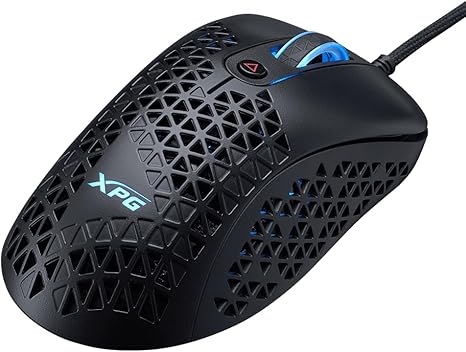
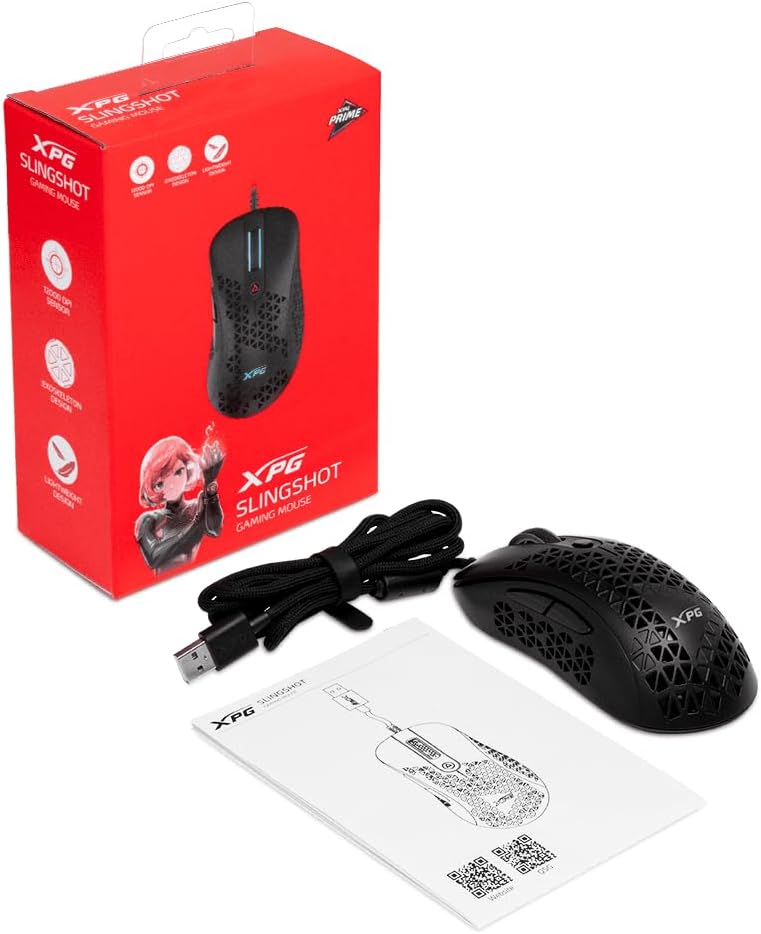
XPG Slingshot RGB Gaming Mouse
Precision. Speed. Customization.
The XPG Slingshot RGB Gaming Mouse delivers high-speed tracking, low-latency performance, and ergonomic comfort for competitive gaming. Built with a lightweight design, customizable buttons, and dynamic RGB lighting, it provides the speed and control gamers need to dominate every match.

Key Features
- High-Precision Sensor – PixArt PAW-3335 sensor with up to 10,000 DPI for pinpoint accuracy.
- Lightweight Design – Weighs just 73g, reducing fatigue for long gaming sessions.
- Customizable Buttons – Six programmable buttons for quick, efficient in-game actions.
- RGB Lighting – 16.8 million color options, adjustable via XPG PRIME software.
- Durable Switches – Kailh switches, rated for up to 20 million clicks.
- Ambidextrous Design – Suitable for both right-handed and left-handed users.

Technical Details
- Model Name: XPG Slingshot RGB Gaming Mouse
- Sensor Type: PixArt PAW-3335
- DPI Range: Up to 10,000 DPI
- Weight: 73g
- Buttons: 6 programmable buttons
- Lighting: 16.8 million RGB colors, customizable via XPG PRIME software
- Switch Type: Kailh switches (20 million click lifespan)
- Connectivity: Wired (USB)

User Benefits
- Lag-Free Gaming – Wired USB connection provides instant response with no input delay.
- Improved Accuracy – High-DPI sensor tracks rapid movements with precision and speed.
- Customizable Setup – Program buttons for faster in-game reactions and macros.
- Comfortable Grip – Lightweight 73g design prevents wrist strain during long hours of play.
- Long-Lasting Durability – Kailh switches ensure consistent performance over millions of clicks.

Compatibility
- Works with: PCs and laptops
- Supported OS: Windows, macOS
- Software Support: XPG PRIME for RGB and button customization
Included Items
- XPG Slingshot RGB Gaming Mouse
- USB Cable
- Quick Start Guide
$42.06
XPG Slingshot RGB Gaming Mouse—
$42.06
Product Information
Product Information
Shipping & Returns
Shipping & Returns
Description
Precision. Speed. Customization.
The XPG Slingshot RGB Gaming Mouse delivers high-speed tracking, low-latency performance, and ergonomic comfort for competitive gaming. Built with a lightweight design, customizable buttons, and dynamic RGB lighting, it provides the speed and control gamers need to dominate every match.
Key Features
- High-Precision Sensor – PixArt PAW-3335 sensor with up to 10,000 DPI for pinpoint accuracy.
- Lightweight Design – Weighs just 73g, reducing fatigue for long gaming sessions.
- Customizable Buttons – Six programmable buttons for quick, efficient in-game actions.
- RGB Lighting – 16.8 million color options, adjustable via XPG PRIME software.
- Durable Switches – Kailh switches, rated for up to 20 million clicks.
- Ambidextrous Design – Suitable for both right-handed and left-handed users.
Technical Details
- Model Name: XPG Slingshot RGB Gaming Mouse
- Sensor Type: PixArt PAW-3335
- DPI Range: Up to 10,000 DPI
- Weight: 73g
- Buttons: 6 programmable buttons
- Lighting: 16.8 million RGB colors, customizable via XPG PRIME software
- Switch Type: Kailh switches (20 million click lifespan)
- Connectivity: Wired (USB)
User Benefits
- Lag-Free Gaming – Wired USB connection provides instant response with no input delay.
- Improved Accuracy – High-DPI sensor tracks rapid movements with precision and speed.
- Customizable Setup – Program buttons for faster in-game reactions and macros.
- Comfortable Grip – Lightweight 73g design prevents wrist strain during long hours of play.
- Long-Lasting Durability – Kailh switches ensure consistent performance over millions of clicks.
Compatibility
- Works with: PCs and laptops
- Supported OS: Windows, macOS
- Software Support: XPG PRIME for RGB and button customization
Included Items
- XPG Slingshot RGB Gaming Mouse
- USB Cable
- Quick Start Guide